
Swollen Laptop Battery: Signs, Dangers and What to Do Right Now
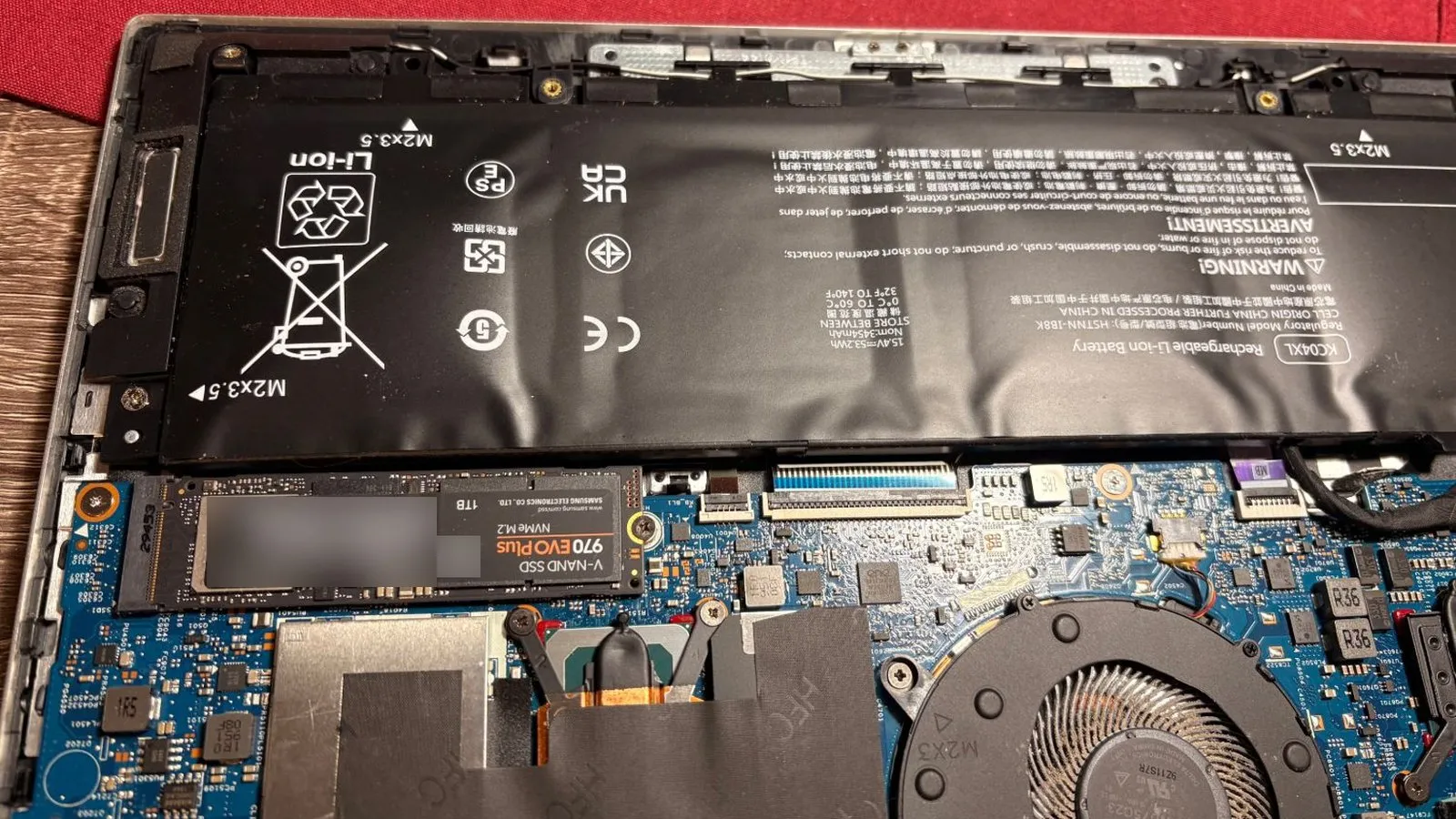
Short answer: if your laptop battery is swollen, stop charging it, power the laptop off, unplug it, don’t press on it or puncture it, and have it looked at by a professional. A swollen lithium-ion battery is a fire risk, and the safest move is to treat it as one.
We see this in the shop. A customer recently brought us an HP Envy laptop and told us the battery charged to 100% but wouldn’t hold the charge. The moment we picked it up, we could see the real problem.
What we saw
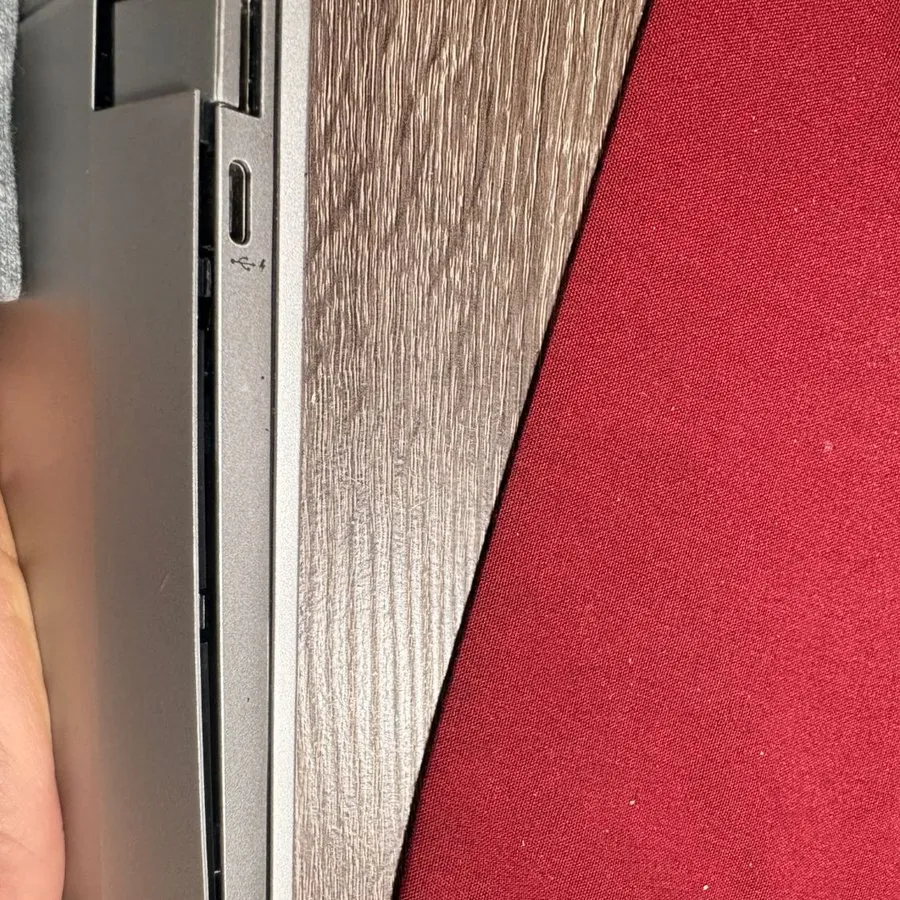
The keyboard and palmrest were curved and bulging, and there was a visible gap between the bottom cover and the body of the laptop. We knew exactly what that meant before we even opened it. Inside, the battery pouch had swollen and was lifting out of its bay.
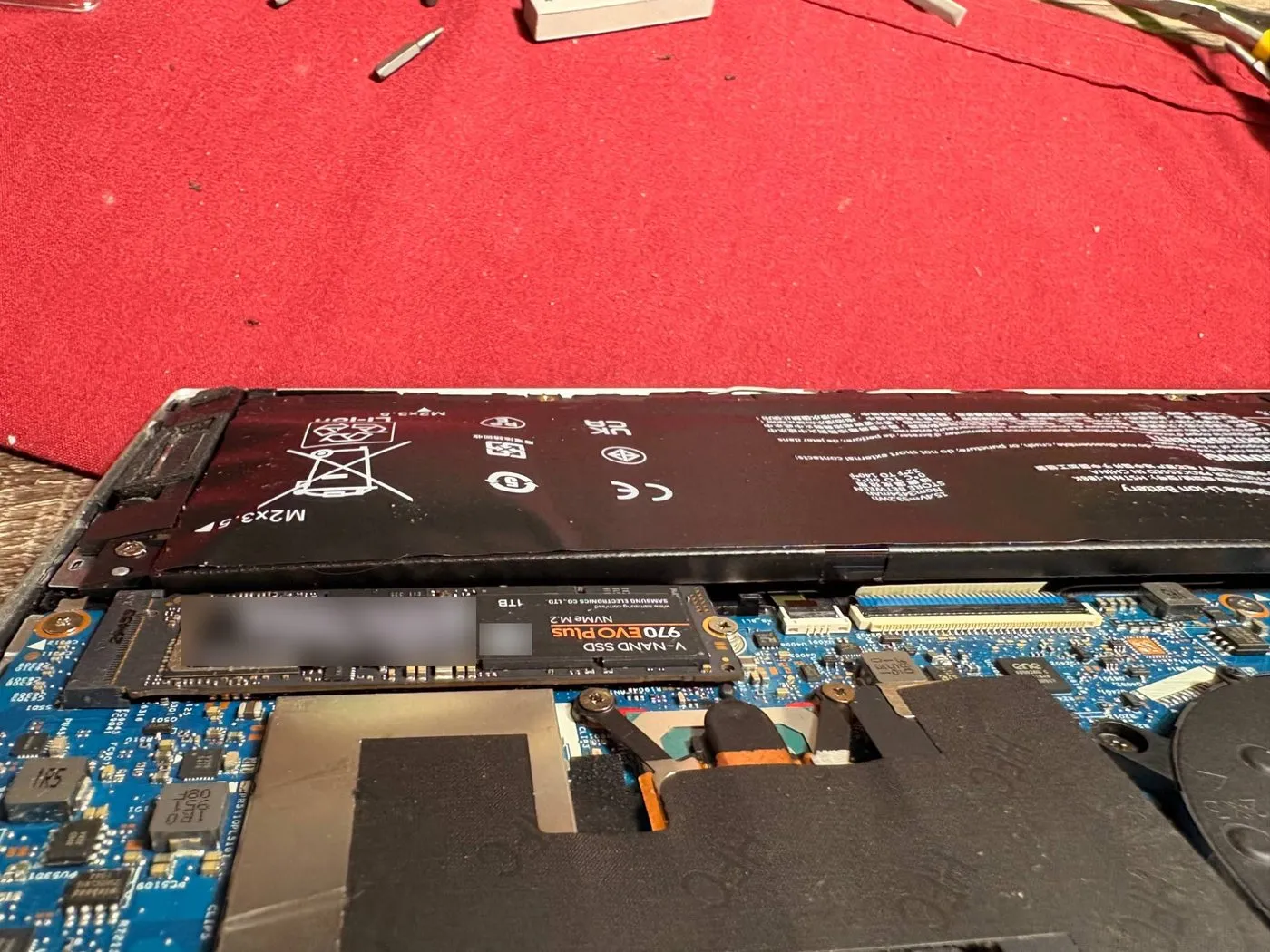
When we took it out, the cell was visibly warped and creased.
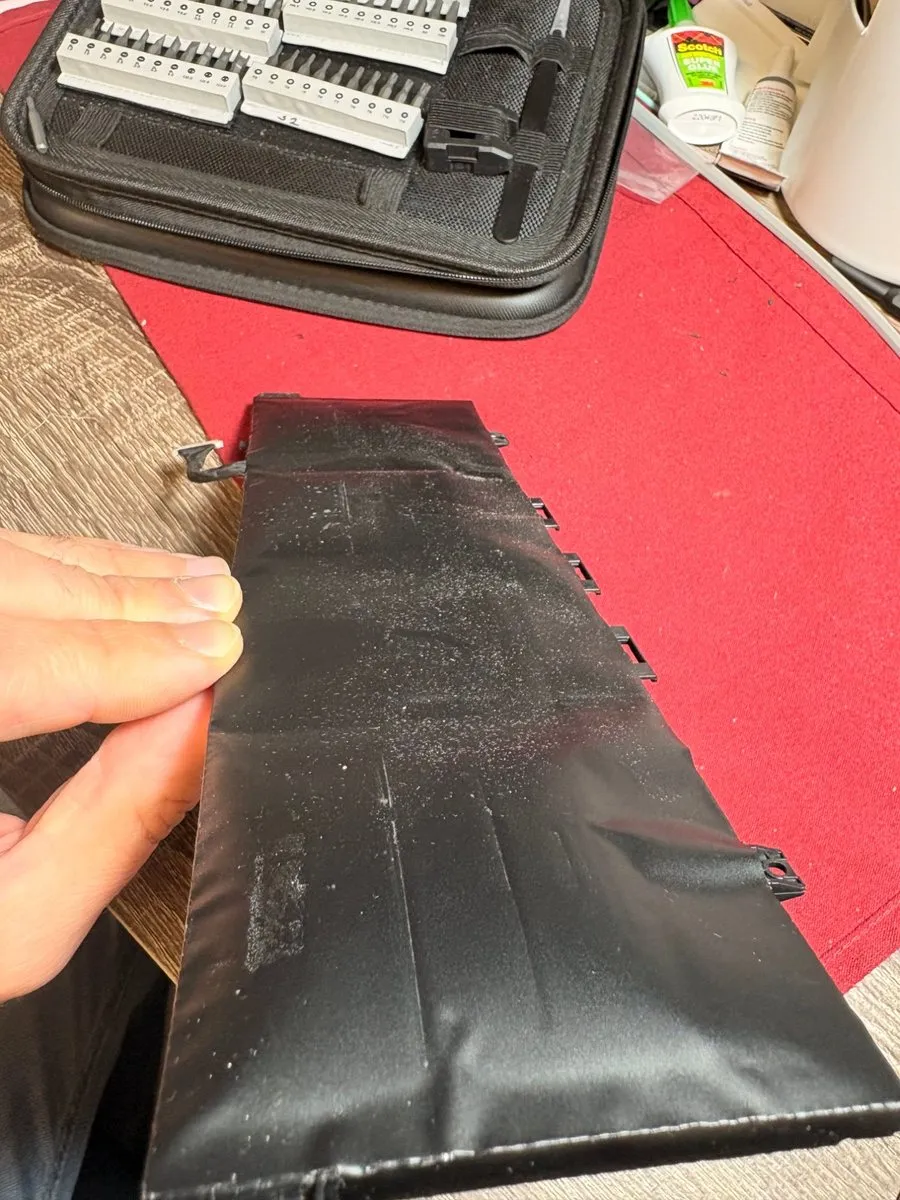
What a swollen battery means
Lithium-ion batteries can build up gas inside the cell as they wear out or get damaged. That gas makes the pouch puff up. A swollen battery is damaged inside, and it can catch fire if it’s punctured, crushed, overheated or charged. You may have seen reports of battery fires in the news. They are rare for any one device, but the risk is real, which is why we take it seriously.
Signs your laptop battery may be swollen
- The palmrest, trackpad or keyboard looks curved or bulged.
- A gap is opening between the bottom cover and the body of the laptop.
- The laptop rocks or won’t sit flat on a table.
- The trackpad is hard to click, or is pushed up.
- The case won’t close or the screen looks lifted.
- The battery charges to 100% but won’t hold a charge. That can have other causes, but together with any sign above it’s a reason to stop and check.
What to do right now
- Stop charging it. Unplug the charger.
- Power the laptop off and don’t use it on battery.
- Don’t press, bend or puncture the battery, and don’t try to flatten it.
- Keep it on a hard, non-flammable surface, away from papers, fabric and anything that burns. Don’t leave it on a bed, couch or in a bag.
- Don’t try to pry the case open yourself.
- Bring it to a professional. If you’re nervous about carrying it, call first and tell us what you’re seeing.
How we handle it
We disconnect the battery from the laptop and remove it carefully, without piercing it. The old battery is never thrown in the trash. We keep it in separate, dedicated storage and take it to a battery recycling company.
Why not just throw it away?
A damaged lithium-ion battery in the trash or a recycling truck can be crushed and start a fire. It needs special handling. Many ordinary battery drop-off points don’t accept swollen ones, so check before you go, or leave it with a shop that handles them.
Laptop with a swollen battery? Bring it to us
If your laptop’s palmrest is lifting, the case has a gap, or the battery won’t hold a charge, stop using it and get it checked. Our battery replacement service replaces the battery and recycles the old one safely. We help customers in Marlboro, Morganville, Manalapan, Freehold, Holmdel, Colts Neck, Aberdeen, Matawan and Old Bridge, and you can message us first by phone, text, email or chat to describe what you’re seeing.
Frequently asked questions
How do I know if my laptop battery is swollen?
Look for a palmrest, trackpad or keyboard that bulges or looks curved, a gap opening between the bottom cover and the body of the laptop, a laptop that rocks on a flat table, a trackpad that's hard to click, or a case that won't close or sit flat. A battery that charges to 100% but doesn't hold the charge can be another warning sign, so it's worth having the laptop opened and checked.
Is a swollen laptop battery dangerous?
Yes, it should be treated as a hazard. Swelling means gas has built up inside the battery cell. A swollen lithium-ion battery that is punctured, crushed, overheated or charged can catch fire. That's why you should stop using it right away.
Can I keep using the laptop if the battery is swollen?
No. Power it off, unplug it and stop charging it. If you must use the laptop, don't do it on battery, and don't leave it plugged in unattended. Have the battery replaced before you use the laptop normally again.
Can I remove the swollen battery myself?
We'd advise against it. A swollen battery is fragile, and puncturing or bending it can start a fire. We disconnect it from the laptop and remove it carefully, without piercing it. If you have no experience with laptop repairs, leave that to a professional.
How do I get rid of a swollen laptop battery?
Never put it in the trash or the regular recycling. Damaged lithium-ion batteries need special handling, and many drop-off locations don't accept swollen ones, so call ahead. We store old batteries separately and take them to a battery recycler. If it's still in your laptop, bring the laptop in and we'll handle it.
What causes a laptop battery to swell?
Common contributing factors include age and charge cycles, heat, constant charging, physical damage and a poor-quality charger. It often isn't possible to say which one caused a particular battery to swell.